SSH Port Forwarding and services
Use this page for tunnel + ssh -L forwarding to Crime services.
Contents
- Prerequisites
- Bastion reference
- Pattern
- Example: Artemis admin UI
- Example: Postgres PaaS
- Example: Gerrit over SSH
- Closing sessions
- Verification
- Additional Information
Prerequisites
- Azure CLI installed and authenticated (
az login). - Access to Bastion resource, target VM, and VM NIC.
- SSH private key present locally.
- General SSH working via Bastion. See General SSH use first.
- Target VM must have network path to the downstream service (Postgres, Artemis, Gerrit).
Bastion reference
| Environment | Bastion name | Resource group |
|---|---|---|
| Nonlive | BA-MDV-DMZ-01 |
RG-MDV-BASTION-01 |
| Live | BA-MPD-DMZ-01 |
RG-MPD-BASTION-01 |
The examples below use the nonlive values. Swap in the live values for production access.
Pattern
- Open Bastion tunnel to target VM SSH port.
- Open SSH session to local tunnel endpoint.
- Forward service port with
-L.
Base tunnel command:
az network bastion tunnel \
  --name "<BASTION_NAME>" \
  --resource-group "<BASTION_RESOURCE_GROUP>" \
  --target-resource-id "<TARGET_VM_RESOURCE_ID>" \
  --resource-port 22 \
  --port <LOCAL_TUNNEL_PORT>
Example: Artemis admin UI
Open tunnel:
az network bastion tunnel \
  --name BA-MDV-DMZ-01 \
  --resource-group RG-MDV-BASTION-01 \
  --target-resource-id "/subscriptions/e6b5053b-4c38-4475-a835-a025aeb3d8c7/resourceGroups/RG-MDV-INT-01/providers/Microsoft.Compute/virtualMachines/MDVCREV01.cpp.nonlive" \
  --resource-port 22 \
  --port 2022
Forward Artemis admin port:
ssh -p 2222 <ENTRA_USERNAME>@localhost -L 8161:localhost:8161
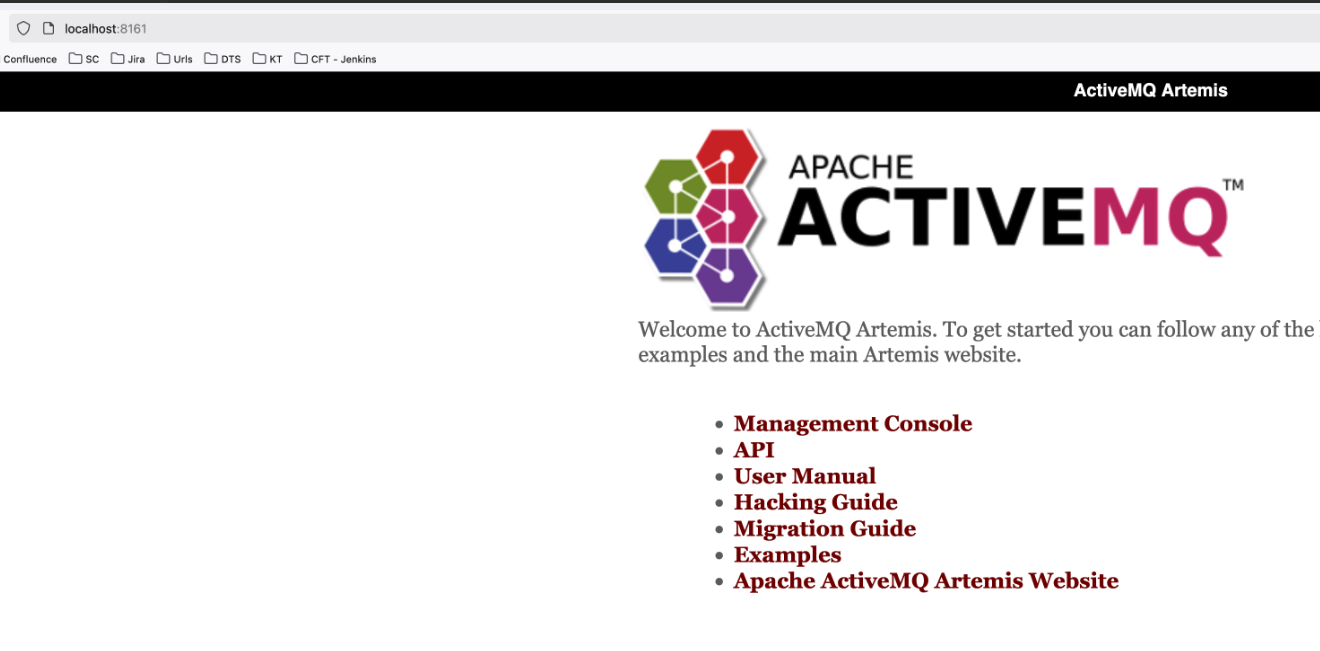
Browse:
http://localhost:8161
Example: Postgres PaaS
Open tunnel:
az network bastion tunnel \
  --name BA-MDV-DMZ-01 \
  --resource-group RG-MDV-BASTION-01 \
  --target-resource-id "/subscriptions/e6b5053b-4c38-4475-a835-a025aeb3d8c7/resourceGroups/RG-MDV-INT-01/providers/Microsoft.Compute/virtualMachines/MDVCREV01.cpp.nonlive" \
  --resource-port 22 \
  --port 2022
Forward Postgres from reachable VM:
ssh -p 2022 \
  -i ~/.ssh/id_rsa \
  <ENTRA_USERNAME>@localhost \
  -L 5432:<POSTGRES_FQDN>:5432 \
  -N
Connect locally:
psql -h localhost -U <DB_USERNAME> -d <DB_NAME>
Example: Gerrit over SSH
Open tunnel to Bastion:
az network bastion tunnel \
  --name BA-MDV-DMZ-01 \
  --resource-group RG-MDV-BASTION-01 \
  --target-resource-id "/subscriptions/e6b5053b-4c38-4475-a835-a025aeb3d8c7/resourceGroups/RG-MDV-INT-01/providers/Microsoft.Compute/virtualMachines/MDVCREV01.cpp.nonlive" \
  --resource-port 22 \
  --port 2022
Port Forward Gerrit endpoint:
ssh -vvv -p 2022 \
  -i ~/.ssh/id_rsa \
  <ENTRA_USERNAME>@localhost \
  -L 29418:coderepo.mdv.cpp.nonlive:29418 \
  -N
Git clone
Clone Gerrit repo through the forwarded local port:
git clone ssh://<ENTRA_USERNAME>@localhost:29418/<REPO_NAME>
Expected output:
Cloning into '<REPO_NAME>'...
Warning: Permanently added '[localhost]:29418' (ED25519) to the list of known hosts.
remote: Counting objects: 615, done
remote: Total 145114 (delta 0), reused 145114 (delta 0)
Receiving objects: 100% (145114/145114), 42.19 MiB | 11.96 MiB/s, done.
Resolving deltas: 100% (33188/33188), done.
Git Push
Create a branch and push:
git checkout -b <FEATURE_BRANCH>
git push
If the branch has no upstream set, the first push will fail with:
fatal: The current branch <FEATURE_BRANCH> has no upstream branch.
To push the current branch and set the remote as upstream, use

    git push --set-upstream origin <FEATURE_BRANCH>
Set upstream and push:
git push --set-upstream origin <FEATURE_BRANCH>
Expected output:
Total 0 (delta 0), reused 0 (delta 0), pack-reused 0 (from 0)
remote: Processing changes: refs: 1, done
To ssh://localhost:29418/<REPO_NAME>
 * [new branch]          <FEATURE_BRANCH> -> <FEATURE_BRANCH>
branch '<FEATURE_BRANCH>' set up to track 'origin/<FEATURE_BRANCH>'.
Closing sessions
Ctrl + Cin tunnel terminal closes Bastion tunnel.Ctrl + Cin forwarding SSH terminal stops local port forward.- Close browser tabs or tools using forwarded localhost endpoints.
Verification
For each service, confirm connectivity from your local machine after the forward is open:
- Artemis — open
http://localhost:8161in a browser. The Artemis admin login page should load. - Postgres — run
psql -h localhost -U <DB_USERNAME> -d <DB_NAME>. Apsqlprompt should appear. - Gerrit — run
git clone ssh://<ENTRA_USERNAME>@localhost:29418/<REPO_NAME>. Clone progress should start.
If the local port is open but no response comes, the forward is running but the path from the target VM to the service is blocked. See Troubleshooting for NSG and routing checks.
Additional Information
- General SSH use — establish basic Bastion SSH first.
- Troubleshooting — port binding, host key, and service unreachable errors.
- Additional guidance via links — Microsoft file transfer docs.