Requesting RBAC access via Access Packages
Important
As part of the HMCTS Disaster Recovery review, direct permissions pose a risk in cyber-attack scenarios. Direct RBAC access for human users on persistent data resources has been removed.
To reduce this security risk and ensure auditable history, privileged access should only be granted via Access Packages. Manually adding users to privileged Entra ID groups is not supported and such memberships may be removed during reviews.
How to get Azure privileged roles
In order to get access to any environments (except Sandbox), you must be assigned to an Entra group that has been granted the necessary RBAC role on the target subscription, resource group, or resource.
Being a member of an Eligible Entra group does not grant standing access.
Privileged access is requested and managed via Access Packages and is granted on a temporary basis. Access expires automatically, ensuring permissions are time-bound and auditable.
For example, if you require Contributor access to the DTS-SHAREDSERVICES-DEMO subscription, you will need to be added to the Entra group named DTS Contributors Eligible (sub: dts-sharedservices-demo).
This group confirms you are eligible for Contributor access to the DTS-SHAREDSERVICES-DEMO subscription.
Owner access follows the same process. You must be added to the appropriate Owner Eligible Entra group and activate access temporarily using PIM via an access package.
You can verify whether you are already a member of this group by checking this repository.
How to request access
Request the access package from MyAccess.
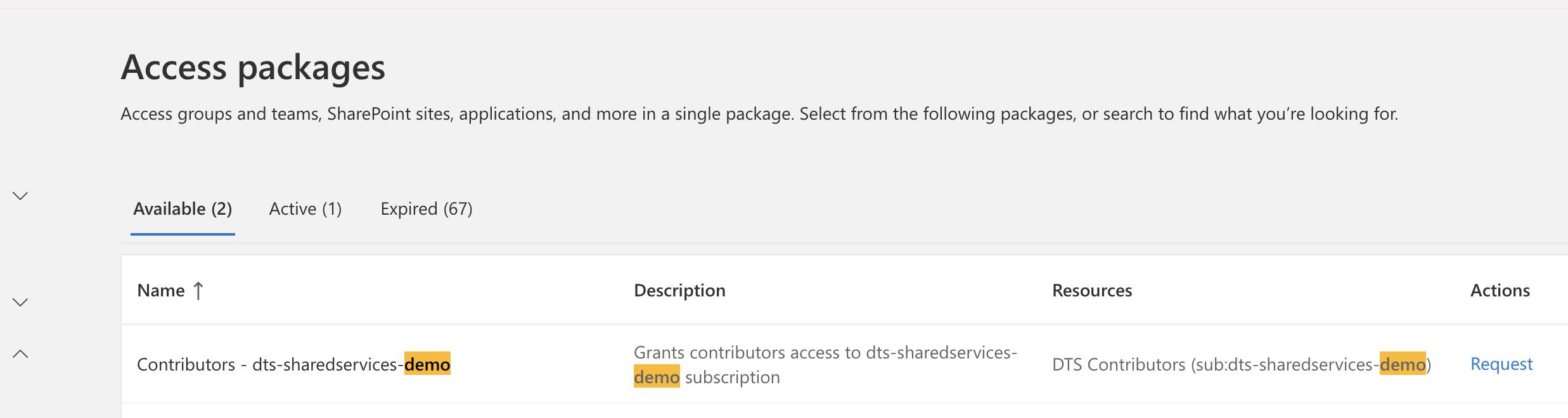
You will not need to wait for approval. You only need to provide a brief justification for audit purposes.
Troubleshooting
If you have been granted access via an access package but your existing scripts or CLI sessions still report missing permissions, sign out and back in before raising an support request. For Azure CLI this means running az logout followed by az login (or restarting the terminal session). Refreshing the authentication tokens usually resolves the issue immediately.
Local Terraform backend access returns 403
When terraform init is run locally against a state storage account in the HMCTS-CONTROL subscription, it can fail with a 403 for:
Microsoft.Storage/storageAccounts/listKeys/action
Request and activate the Contributors - Prod management group (mg:HMCTS) package in MyAccess.
This package grants temporary membership in DTS Contributors (mg:HMCTS). The group’s inherited Azure Contributor Role minus deletes assignment applies to HMCTS-CONTROL and includes the listKeys action.
After the package becomes active, refresh the Azure CLI credentials:
az logout
az login
Retry the same terraform init command. If the operation still returns 403, allow time for the group membership and role assignment to propagate, refresh the credentials again,
and confirm that the Prod management group package is still active before raising it as an issue.