Step 10: Configure SSH
In this step, you will setup your SSH config so that you are able to connect via SSH to Crime resources (such as VMs) and clone Gerrit repositories.
Setup your SSH Config
Option A: Run self-service script (Recommended)
Run self-service script in your terminal:
./self-service/run.sh ssh
This script will:
- Backup your old SSH config file to
~/.ssh/config.backup.<date> - Create a new Crime SSH config file at
~/.ssh/configusing template filled in with your username and HMCTS email - Create Control Master directory at
~/.ssh/cm/
Option B: Manual Configuration
Copy and paste contents of the following template
into your ~/.ssh/config file and update the placeholders with your specific values.
Ensure that you create ~/.ssh/cm/ directory for SSH Control Master sockets.
Place your private SSH key
Ensure your private SSH key (generated in Step 1) is placed in your ~/.ssh/ directory with correct permissions:
mv <PATH-TO-YOUR-PRIVATE-SSH-KEY> ~/.ssh/id_rsa
chmod 600 ~/.ssh/id_rsa
SSH into a VM
If you have been granted access to SSH into any VMs this is a good time to test this:
ssh <VM-HOSTNAME>
> when prompted enter the authenticator code - you can use the alias you created in Step 7 to generate it
> when prompted enter your Crime Azure Portal password
View and clone Gerrit code repositories
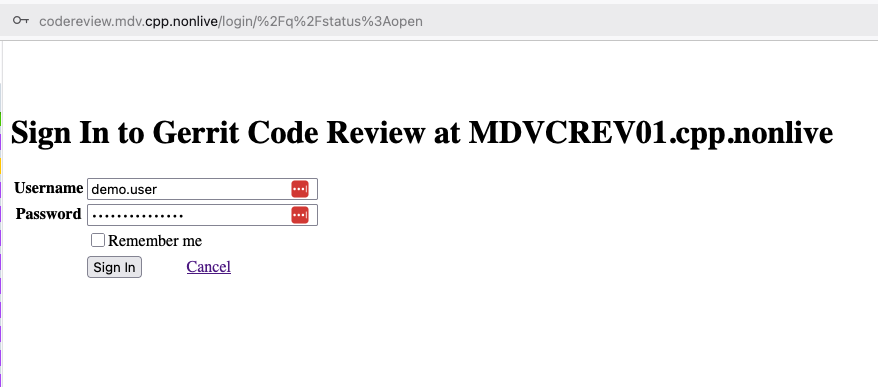
Once you can access Gerrit you should be able to login using your Crime Azure AD credentials for the account you setup in earlier steps:
- Username: name.surname part of your Crime email
- Password: Your Crime Azure Portal password
📋 View screenshot: Gerrit login
Add your public SSH key to Gerrit
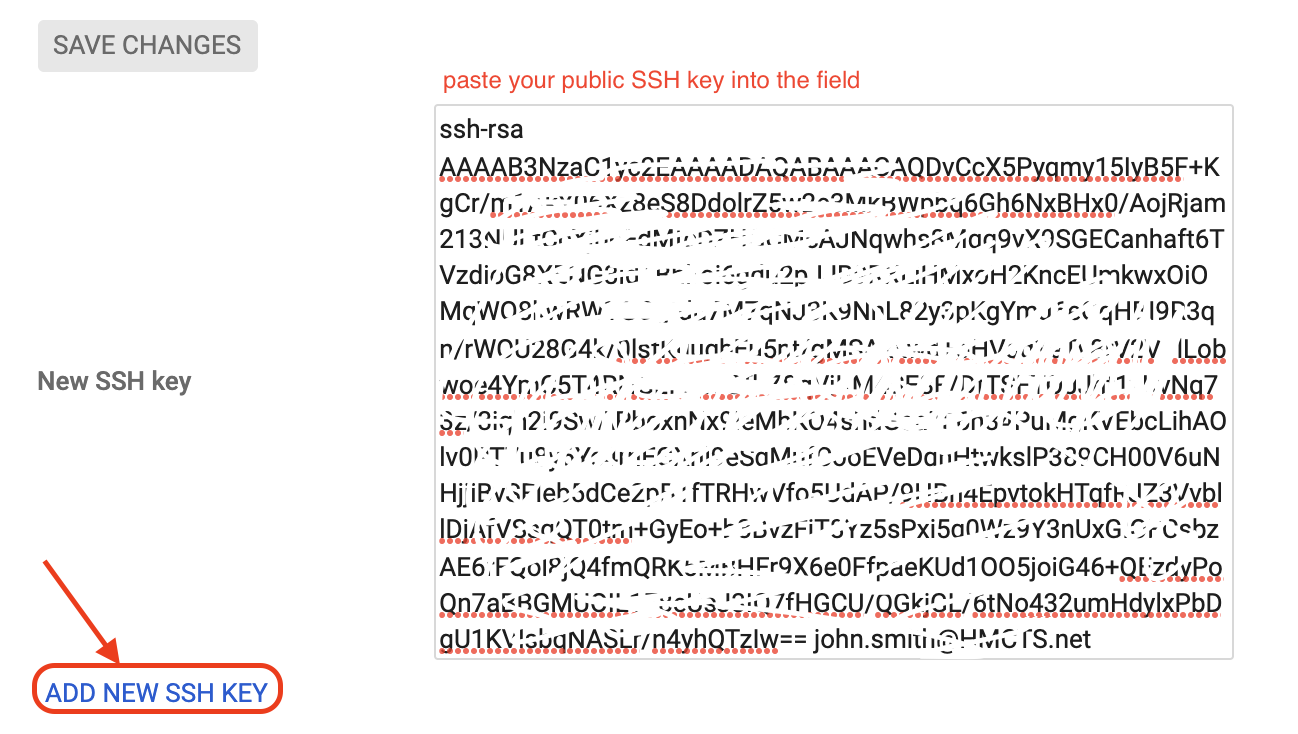
- Click on the cog icon on the top right, settings page will open
- On the left menu click
SSH Keys - Under
SSH KeysinNew SSH keyfield paste in your public SSH key and clickADD NEW SSH KEY - Ensure you are using matching private SSH key when trying to clone a repository
📋 View screenshot: Add your SSH Key to Gerrit
Browse Repositories
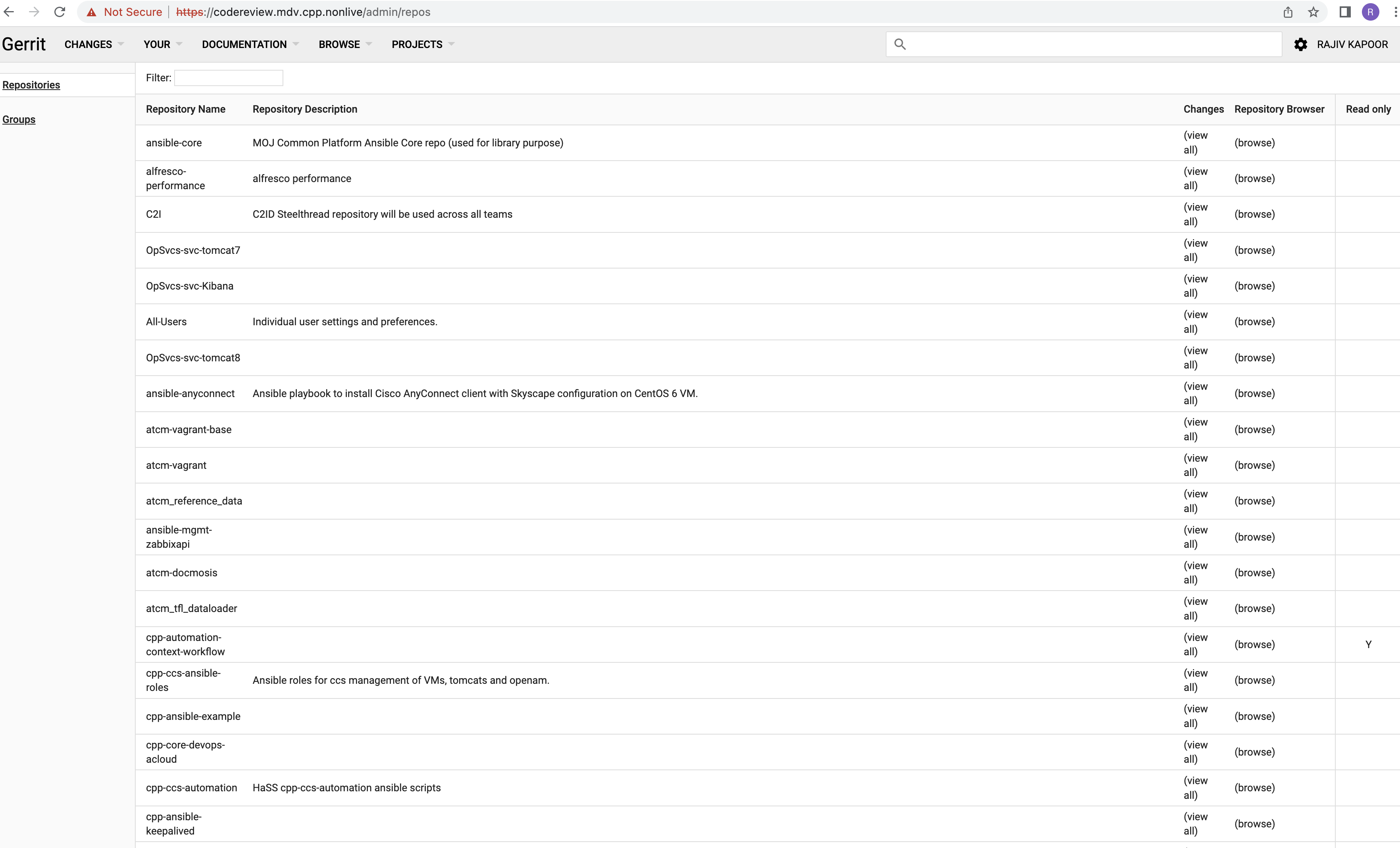
- Log into Gerrit at https://codereview.mdv.cpp.nonlive/
- Once logged in, click on
Browseon the top menu bar - Then click
Repositoriesfrom the top menu - you can search for repositories here (depending on your permissions you might not be able to see or clone all of them)
📋 View screenshot: Gerrit Repository search
Clone a Repository
Ensure your SSH agent is running and your private key is added to the keyring:
  # Check if ssh-agent is running
  eval `ssh-agent`

  # Add your key to keyring
  ssh-add

  # If your ssh key filename is diff to id_rsa
  ssh-add <PATH-TO-PRIVATE-KEY>

  # Check if your key is added to keyring
  ssh-add -l
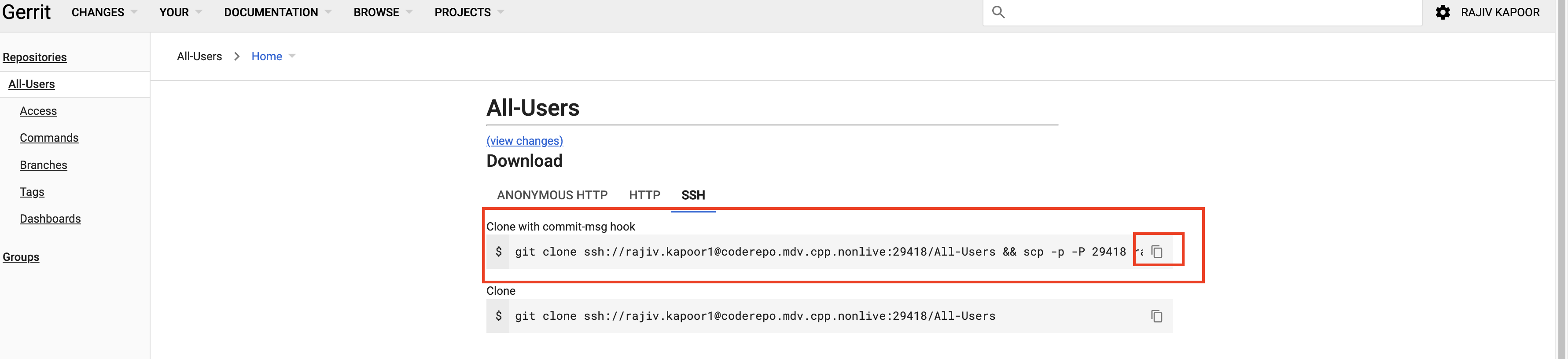
Find your repository on Gerrit and click on it
On the repository page under
DownloadclickSSHtabCopy to clipboard the section under
Clone with commit-msg hookPaste it into your terminal
git clone ssh://demo.user@coderepo.mdv.cpp.nonlive:29418/opsvcs.general && \
scp -p -P 29418 demo.user@coderepo.mdv.cpp.nonlive:hooks/commit-msg opsvcs.general/.git/hooks/
⚠️ You might need to add -O option (to force a legacy file transfer protocol) to the
scpcommand for it to succeed
📋 View screenshot: Clone Gerrit repository
- If still unable to connect, copy this config file into the
.sshfolder in your home directory and replace the dummy username with your actual name.
Troubleshooting
Refer to this documentation for more details and troubleshooting steps.
Summary Checklist
✓ Your Crime private SSH key exists at ~/.ssh/id_rsa
✓ SSH private key permissions set to 0600
✓ SSH config created at ~/.ssh/config
✓ Directory ~/.ssh/cm created
✓ Can successfully SSH to required hosts
✓ Public SSH key added to Gerrit
✓ Can login and pull repositories from Gerrit