Step 6: Obtain VPN and Authenticator secrets
In this step, you will retrieve and decrypt two important secrets:
- Google Authenticator secret - For two-factor authentication required when SSHing or pulling from Gerrit
- OpenVPN secret - OVPN profile you must use to connect to the Crime VPN using Tunnelblick
Both secrets are stored in Azure Key Vault encrypted with your GPG key.
Option A: Self-Service Script (Recommended)
If you have az-cli installed you can use the self-service script to automate the retrieval and decryption process.
The scripts lives in the setup repository you already used in previous steps.
This script uses az cli and gpg utilities to automate the whole process, run:
> ./self-service/run.sh secrets
# email: demo.user@hmctsnonlive.onmicrosoft.com or demo.user@hmctslive.onmicrosoft.com
# path: desired path to save the decrypted secrets - keep this safe!
The script will:
- Ask you to authenticate into your Crime Azure Portal account by opening a new browser window
- Query Azure Key Vault for your secrets
- Download and decode the secrets from base64 into
*.gpgfiles - Decrypt the
*.gpgsecret files into plaintext*.decryptedfiles using your private key
Option B: Manual Retrieval from Azure Portal
Navigate to Azure Portal:
- Open https://portal.azure.com/
- Search for “Key Vault” in the search bar
- Find the appropriate Key Vault for your environment:
- Non-Live:
hmcts-jml-kv-mdv - Live:
hmcts-jml-kv-mpd
- Non-Live:
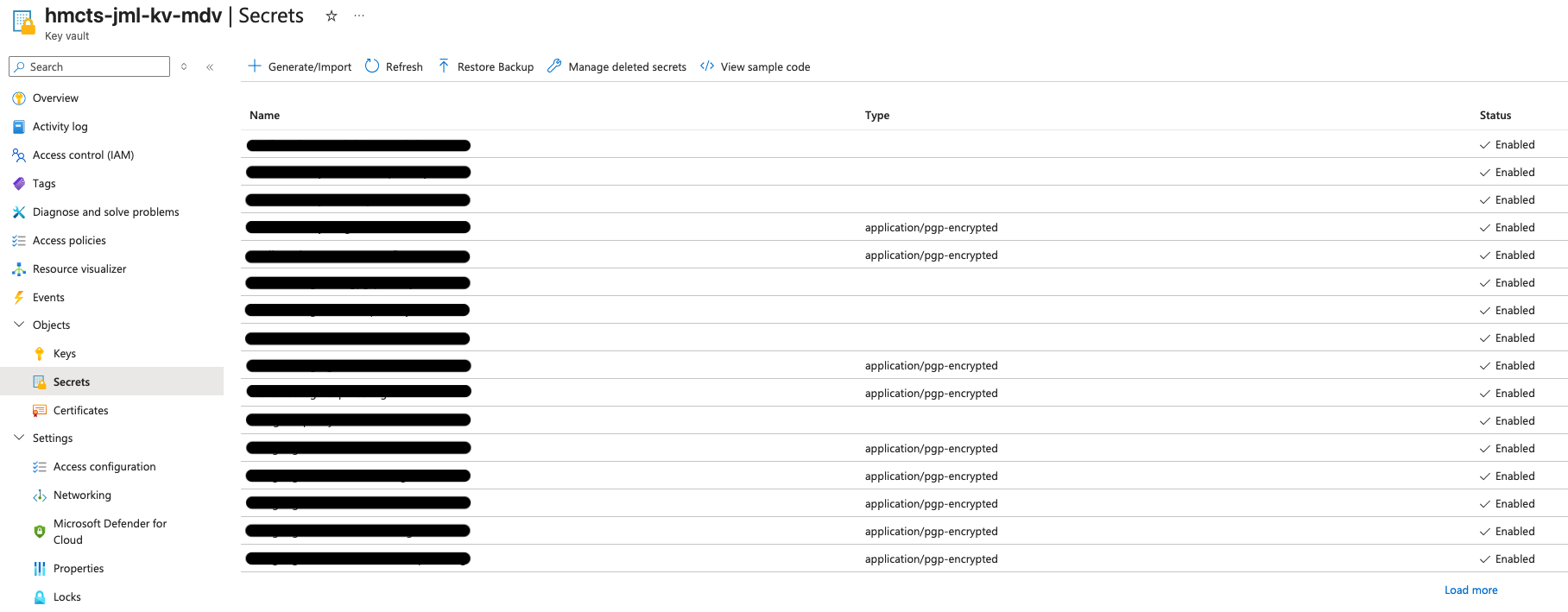
- Under “Secrets”, find your user entry
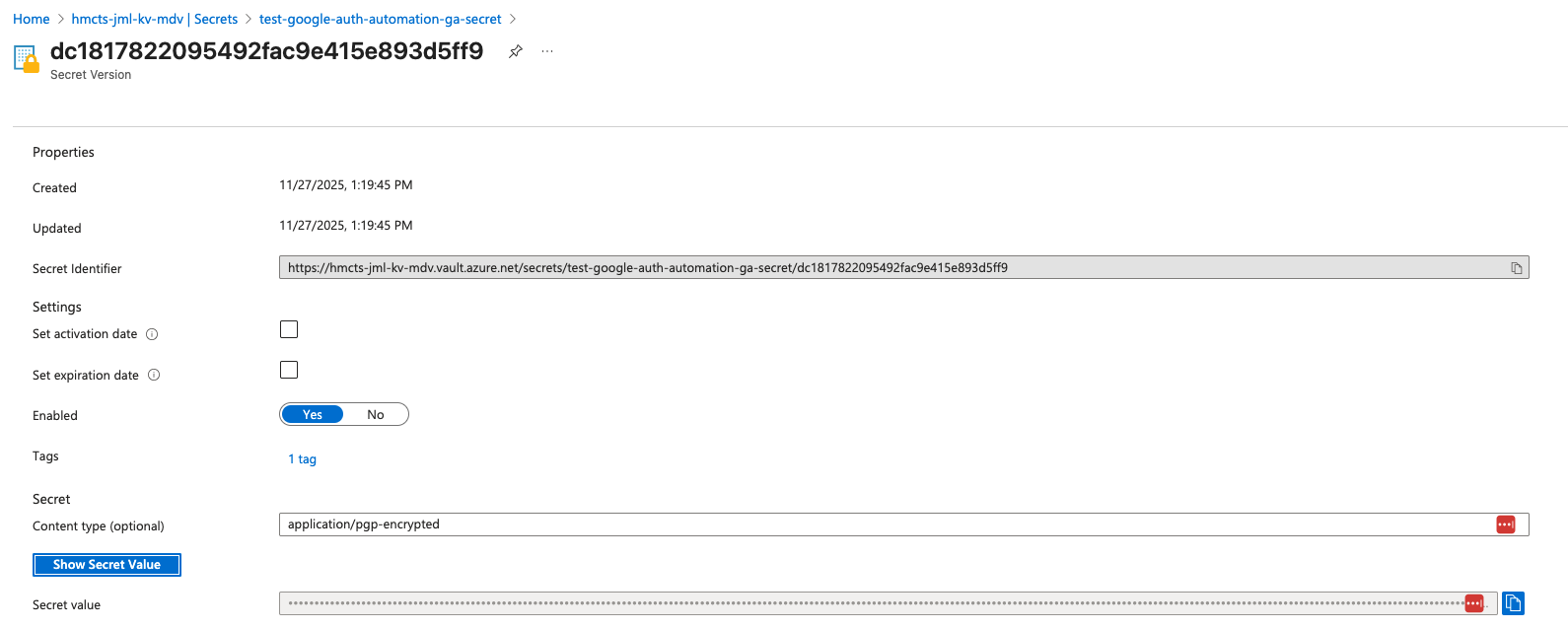
- Click your user secret
- Click “Show Secret Value” to reveal the encrypted secret
- Click “Copy to clipboard” to copy the entire encrypted content
📋 View screenshot: Find the Azure Key Vault

📋 View screenshot: View list of secrets
📋 View screenshot: View your secret
Save, decode and decrypt secrets:
Save both secrets you copied into separate text files:
gauth-secret.b64.txtfor Google Authenticator secretopenvpn-secret.b64.txtfor OpenVPN secret
Decode from base64:
  cat gauth-secret.b64.txt | base64 --decode > gauth-secret.gpg
  cat openvpn-secret.b64.txt | base64 --decode > openvpn-secret.gpg
Decrypt to plaintext:
  gpg --decrypt gauth-secret.gpg > gauth-secret.txt
  gpg --decrypt openvpn-secret.gpg > openvpn-secret.ovpn
Summary Checklist
✓ Retrieved authenticator secret from Azure Key Vault
✓ Retrieved OpenVPN secret from Azure Key Vault
✓ Decoded secrets from base64
✓ Decrypted secrets using GPG
> ls
demo.user_ovpn_secret.decrypted
demo.user_google_authenticator_secret.decrypted
Next step: Step 7: Configure Google Authenticator