Walkthrough
Workflow
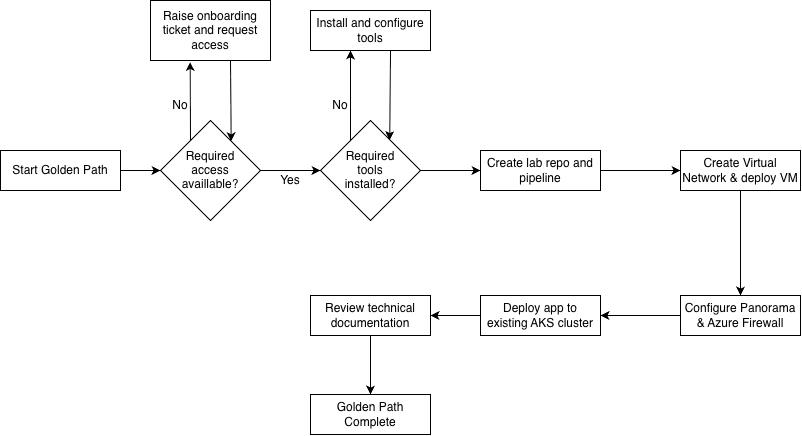
Overview - Core Architecture
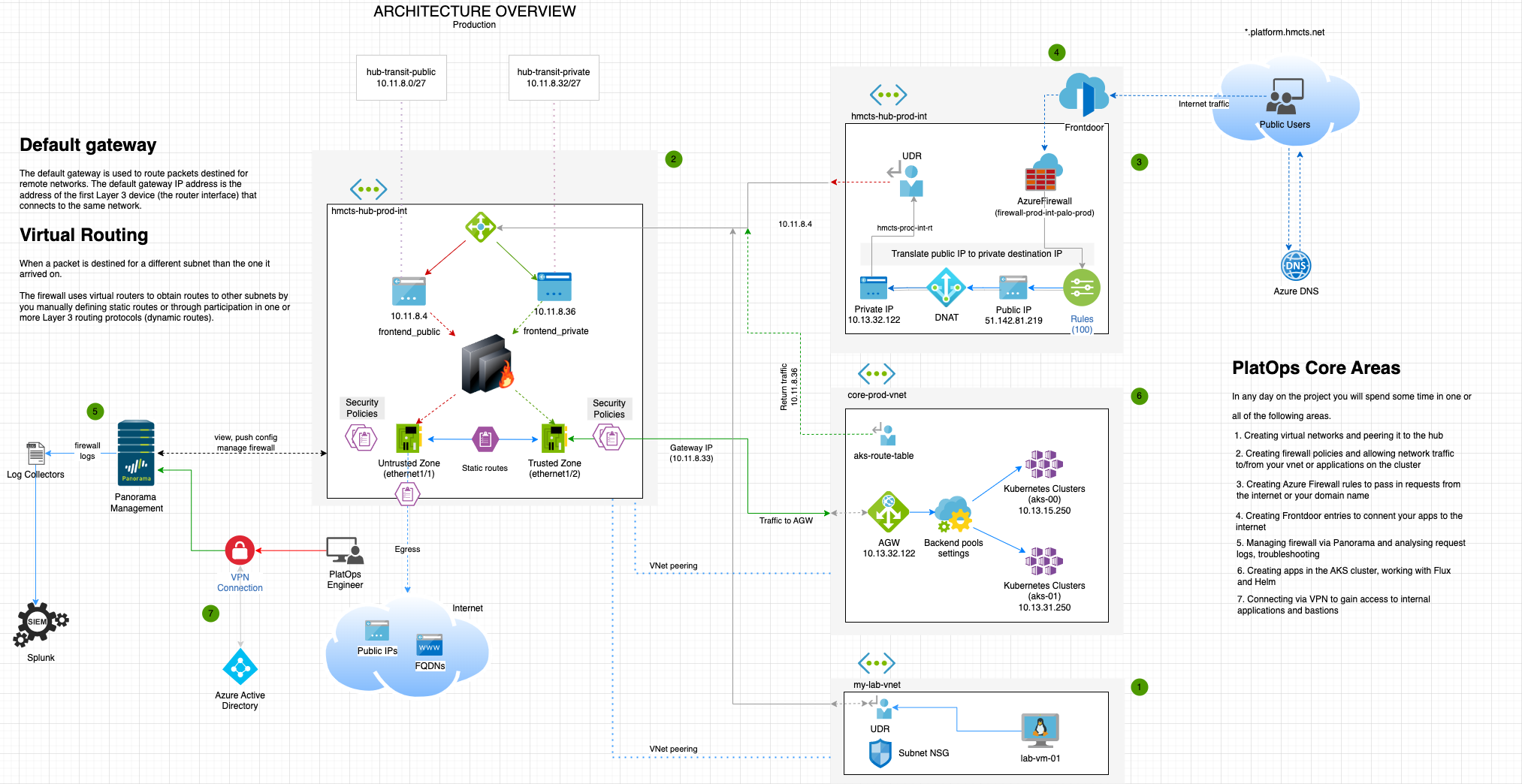
The architecture diagram below represents core areas within Platform Operations. This hands on would visit each one of them and provide you the basic knowledge to get comfortable with the technology stack.
PlatOps Core Architecture
At the end of the hands-on exercises, you can read up on the technical documents for some more details on the core technologies to help solidify the knowledge gained.
Prerequisites & Time Expectations
Required Access & Tools
Before starting the golden path, ensure you have the following access and tools set up:
Essential Access
- GitHub Account: HMCTS organization access (requested via onboarding ticket)
- Azure DevOps: Access to Platform Operations project
- Azure Portal: Access to relevant subscriptions (DTS-SHAREDSERVICES-SBOX, etc.)
- VPN Access: F5 VPN configured and working - CRITICAL: You’ll need this for:
- Accessing Panorama firewall management UI
- SSH access to bastions and virtual machines
- Viewing internal documentation and tools
- Follow this guide to set up VPN
- AD Groups: Appropriate Azure AD groups for non-production access
- See Microsoft Entra ID section for details
- Request via your onboarding ticket or team members
Required Tools
- Git: For cloning repositories and version control
- Azure CLI: For interacting with Azure resources (
azcommands) - Terraform: For infrastructure as code (optional for pipeline-only approach)
- kubectl: For Kubernetes cluster interaction (Section 2)
- SSH client: For connecting to virtual machines
Important Notes
⏰ Start VPN setup early - VPN access can take time to provision and troubleshoot. Don’t wait until you need it to request access.
🔑 Verify permissions first - Check your GitHub, Azure, and VPN access before diving into the technical steps. This prevents frustrating blocks mid-exercise.
📋 Onboarding ticket - If you don’t have one yet, ask in #platform-operations to get one created (example: DTSPO-23262).
💡 Tips for success:
- Don’t rush - understanding each step is more valuable than speed
- Block out focused time rather than doing this between meetings
- Plan for PR review wait times - you’ll need team members to approve changes
- DNS and certificate propagation can take 10-30 minutes - good time for breaks
- Keep notes of what you create so cleanup is easier later